
 +40 (746) 44 97 97
 info@dainovaro.com

Text placement in object symbols in ARIS Architect and ARIS Connect
Object names in process descriptions can be quite long. ARIS products provide special settings that allow users to optimally place the text within an object, depending on the length of its name.
In ARIS Architect, in the global options section, you can define how the text will be placed within an object: in a single line or in multiple lines, by resizing the symbol or by letting the text extend beyond its boundaries (Fig. 1).
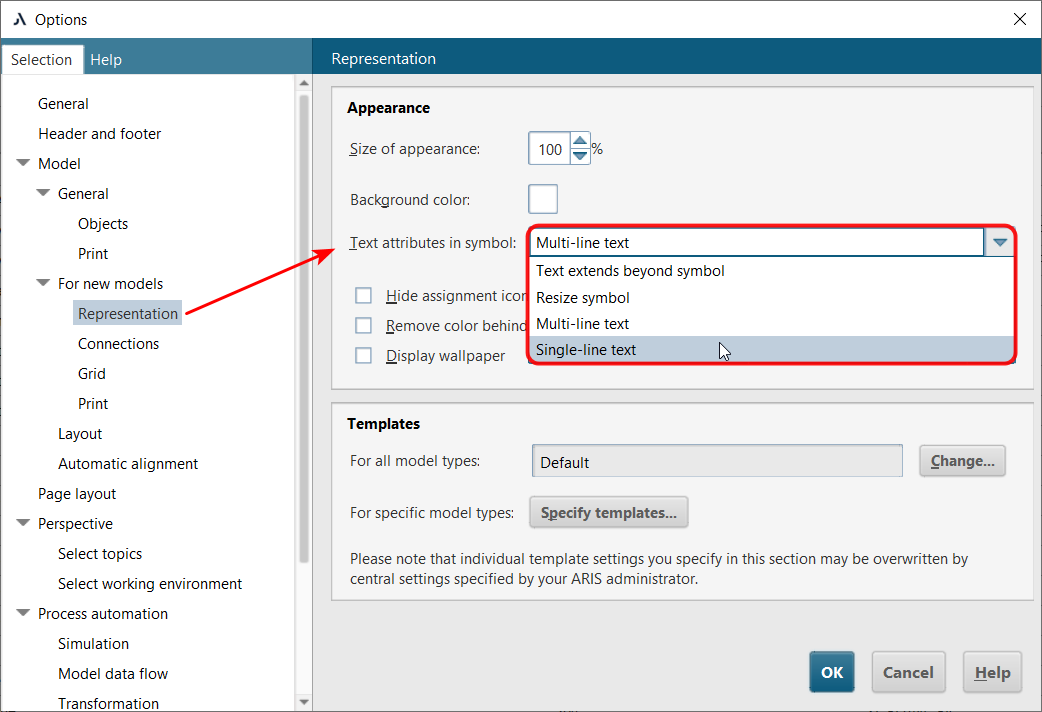
Figure 1. Options for text placement in an object symbol in ARIS Architect
In ARIS Connect, such options are not available, and by default the text is always placed in multiple lines, which corresponds to the “Multi-line text” option in ARIS Architect (Fig. 2).
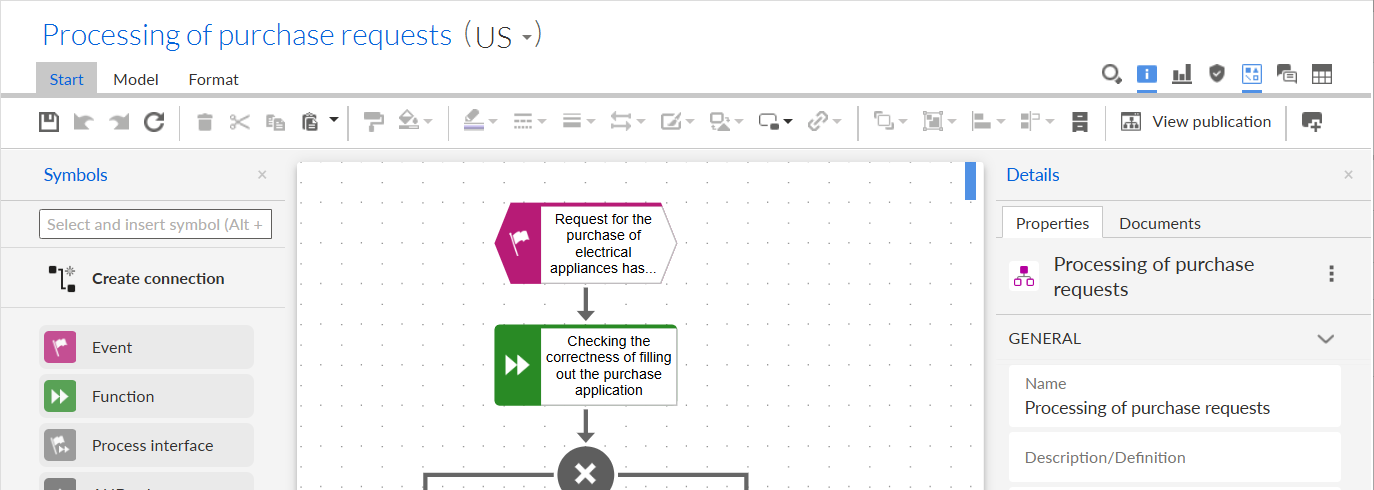
Figure 2. Example of text placement in an object symbol in ARIS Connect
For more efficient use of the symbol area, ARIS Architect provides the setting “Use entire symbol surface for text placement” (Fig. 3):
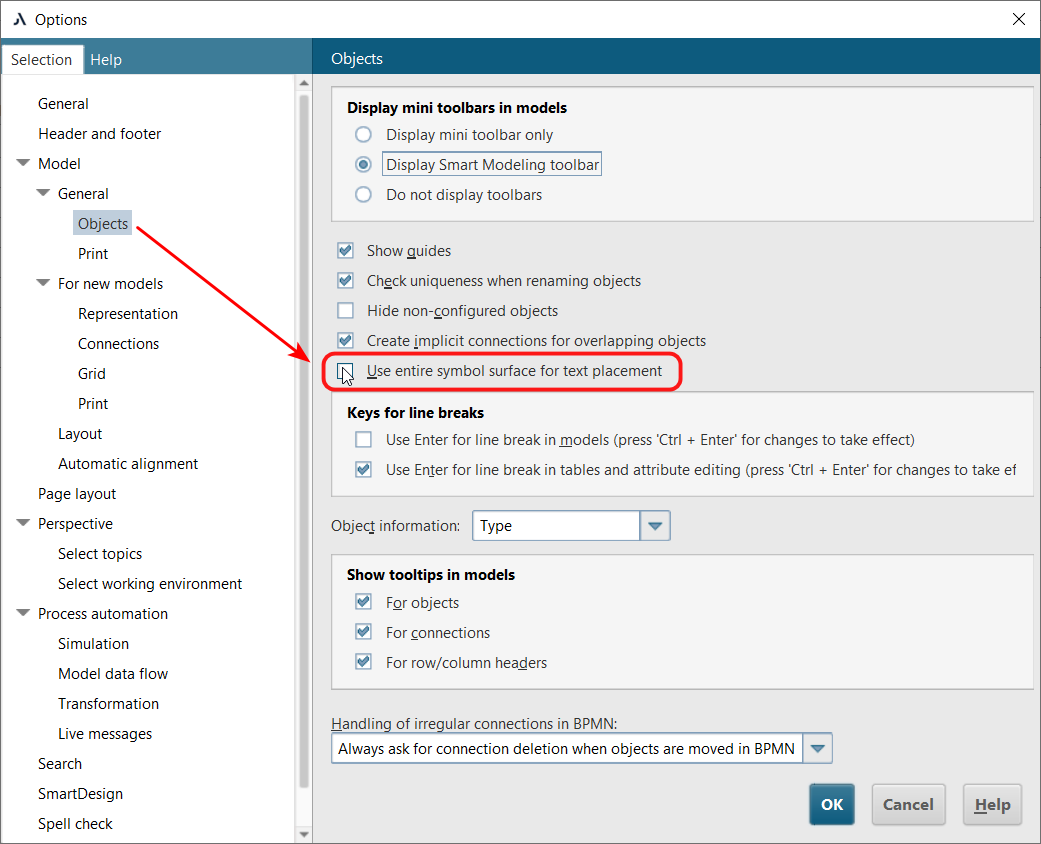
Figure 3. Setting for using the entire symbol area
The result of symbol display with this setting enabled is shown in Fig. 4.
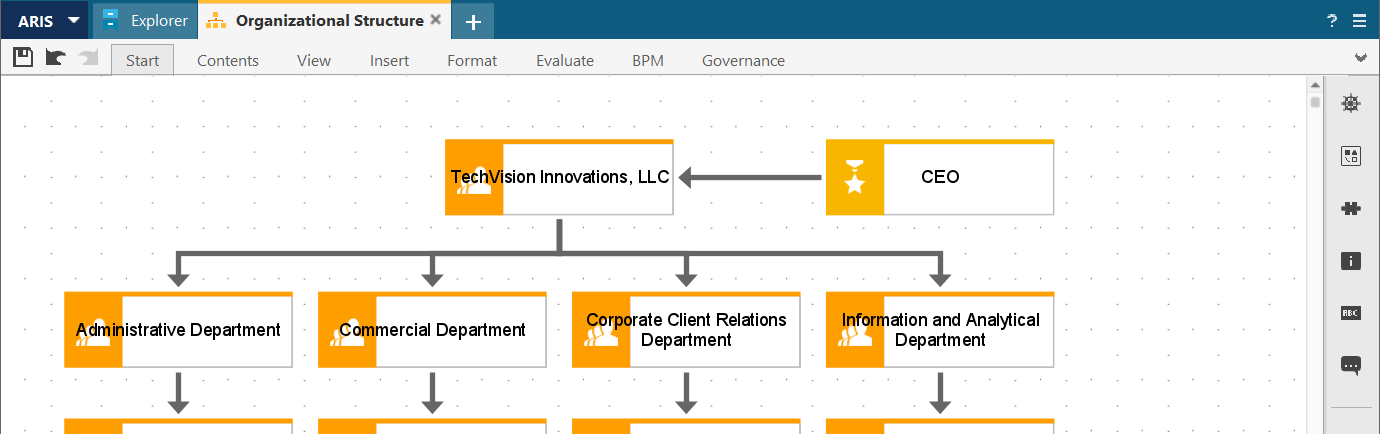
Figure 4. Applying the “Use entire symbol surface for text placement” setting in ARIS Architect
In ARIS Connect, there are no such settings. However, placing text across the entire symbol area is often necessary. This can be achieved through global server settings. On the server in the ARIS Administrator section, you can set the following parameter:
set designer.entire.symbol.surface.for.text true
This parameter controls text placement within symbols. After setting the parameter in ARIS Connect, model objects appear as shown in Fig. 5.
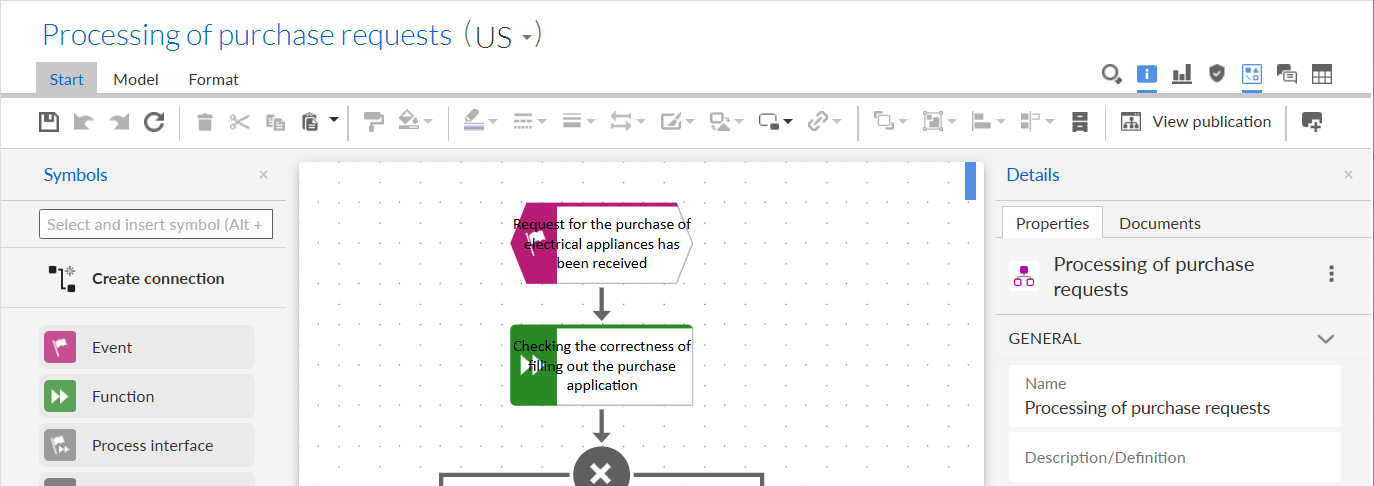
Figure 5. Result of applying the server parameter to fill the symbol with text in ARIS Connect
It should be noted that this setting affects both ARIS Connect and ARIS Architect, and applies to all users.
In ARIS Architect, the option for placing text across the entire symbol will be enabled by default and deactivated (Fig. 6). Thus, in ARIS Architect, text will always extend into the coloured area of the symbol if the object name does not fit within the white area. This setting applies to both existing and new models.
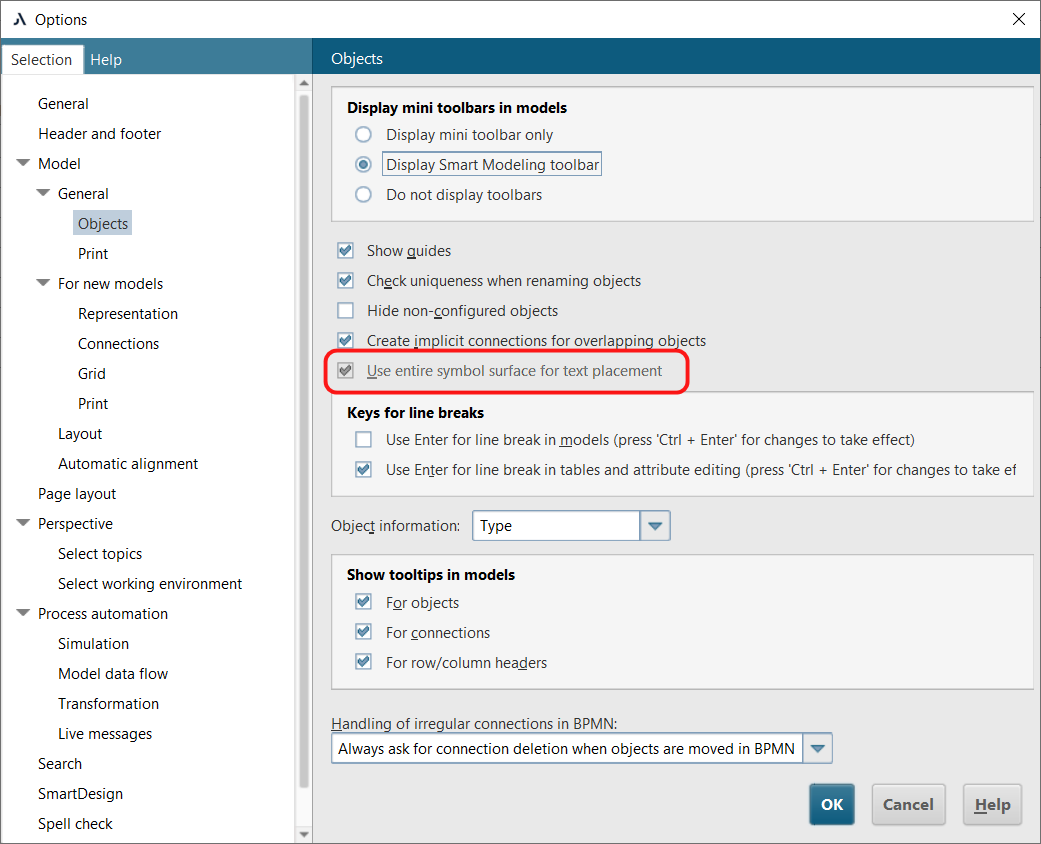
Figure 6. “Use entire symbol surface for text placement” option unavailable after applying the server parameter
ARIS Architect allows configuring different text display options within object symbols. In ARIS Connect, although this functionality is not available by default, server-side configuration can be used to fully display object names, improving readability and model clarity.
