
 +40 (746) 44 97 97
 info@dainovaro.com

Using the ARIS Ideas Portal
Why you should use the ARIS Ideas Portal
The portal serves as a central hub for the "voice of the user", ensuring that real-world needs are heard and addressed. Here's why it matters:
- Centralized feedback collection: all ideas, feature requests, and improvement suggestions are gathered in one place.
- Community-driven engagement: users can comment on, discuss, and vote for ideas that matter most to them.
- Transparent product evolution: the ARIS product team reviews, prioritizes, and communicates decisions about which enhancements are planned or shipped.
This community-driven model helps ensure ARIS continues to evolve in ways that deliver the most value to its users.
How to use the ARIS Ideas Portal
1. Access the portal
Sign in to the ARIS Community and navigate to the Community Ideas Portal.
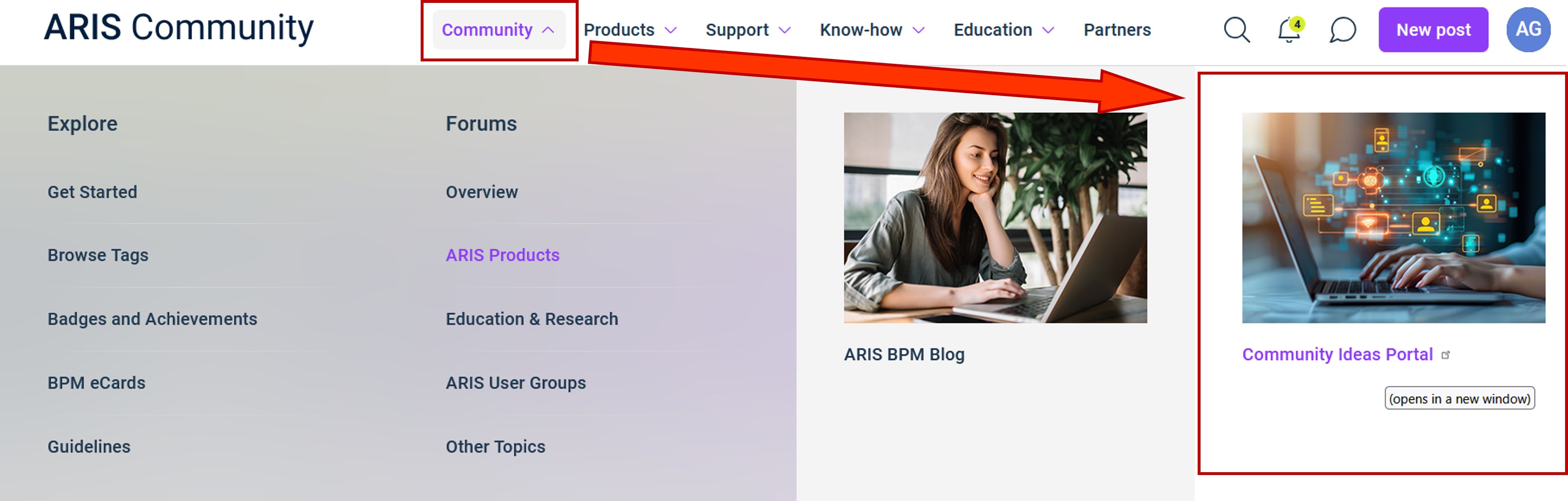
Figure 1. Access to the ARIS Ideas Portal
2. Search before you post
Before submitting a new suggestion, use the search function to check whether a similar idea already exists. This helps prevent duplicates and allows you to vote up existing ideas you support. All ideas are conveniently grouped by category.
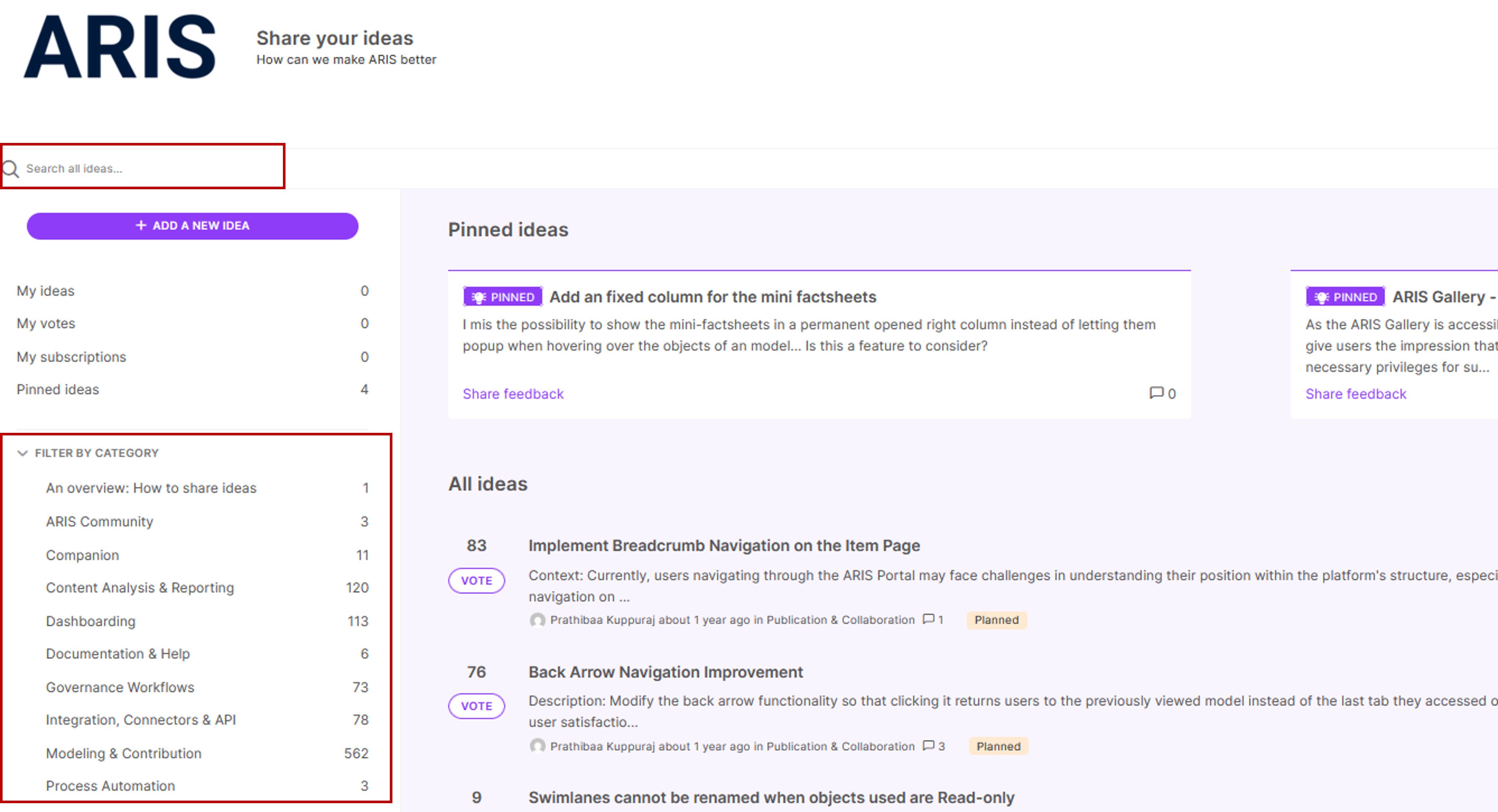
Figure 2. Search and filters in the ARIS Ideas Portal
3. Submit a clear and valuable idea
When posting, provide a descriptive title, outline the problem, the proposed solution, and the business value. Also, select the relevant product capability and ARIS Product & Edition. Every submission is reviewed by a Product Manager before being published for voting.
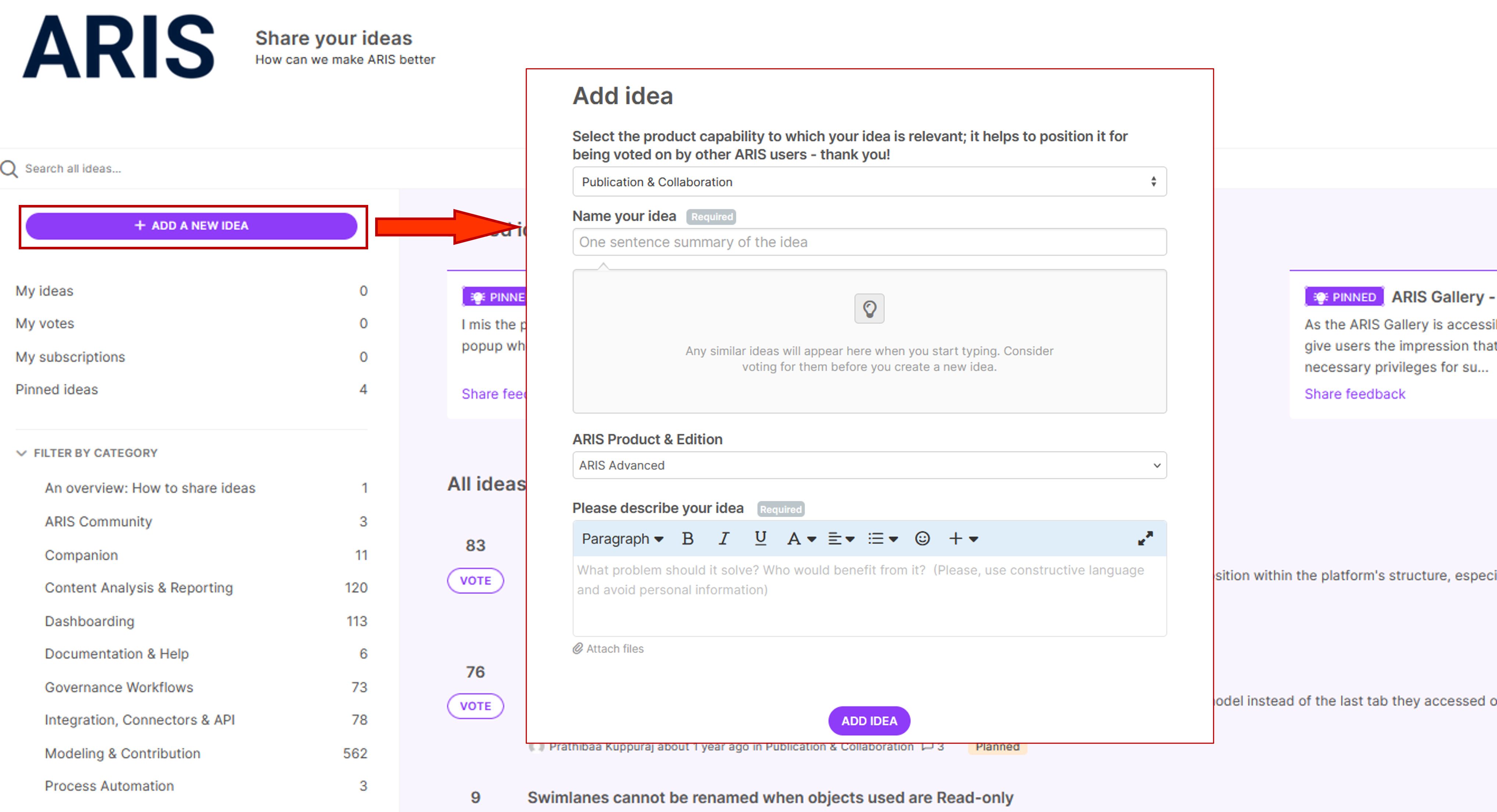
Figure 3. Adding idea in the ARIS Ideas Portal
4. Engage with the Community
Comment on others' ideas, add your insights, and vote for features you'd like to see implemented. Subscribing to ideas lets you stay updated on progress and discussion.
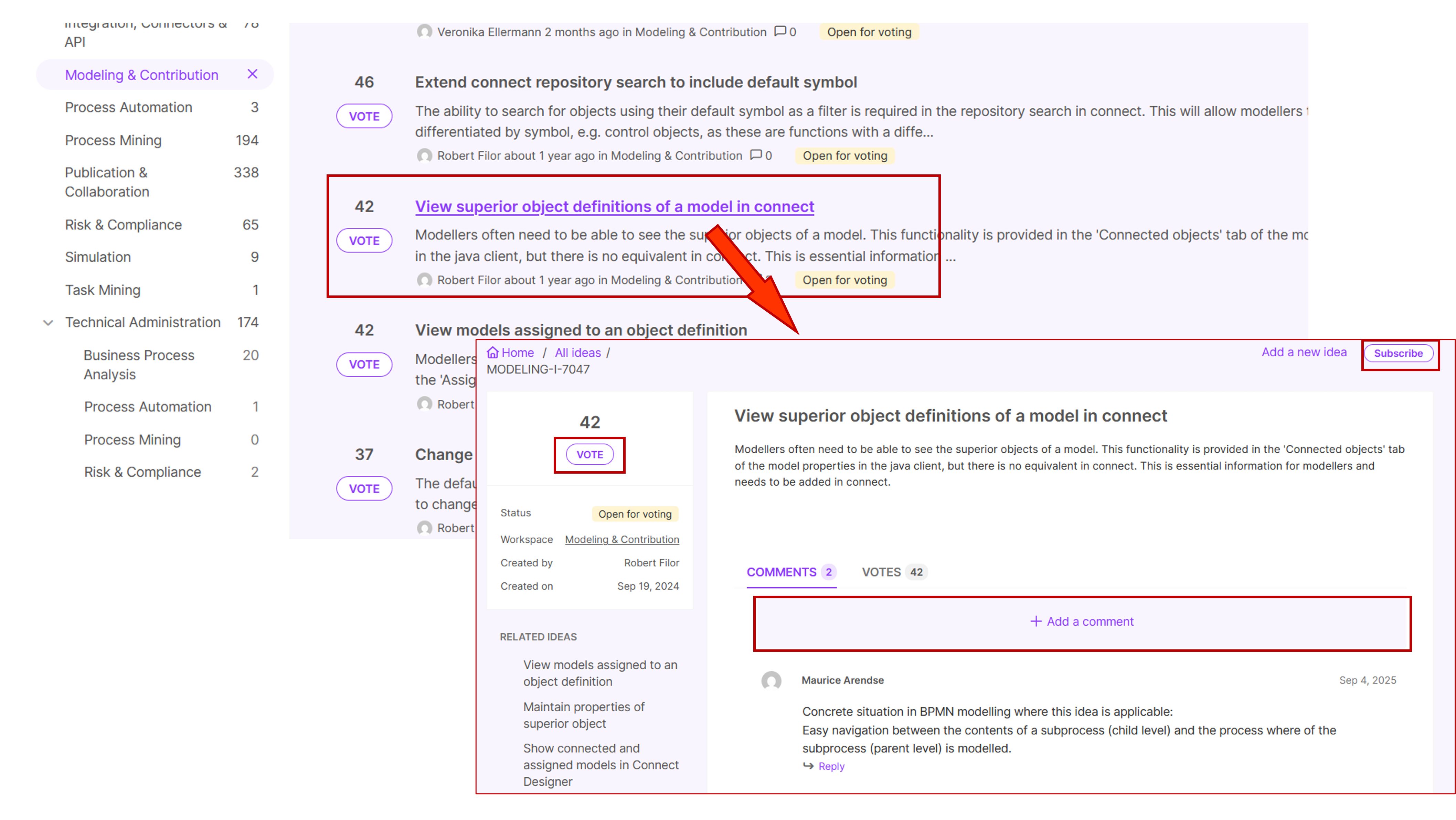
Figure 4. Voting and discussions in the ARIS Ideas Portal
5. Track the progress
You can monitor the status of ideas through various labels such as: "Open for voting", "Already exists", "Will not implement", "Planned", or "Shipped". The "Planned" status means the suggestion has been accepted for a future release or product backlog, while "Shipped" indicates that it's already implemented.
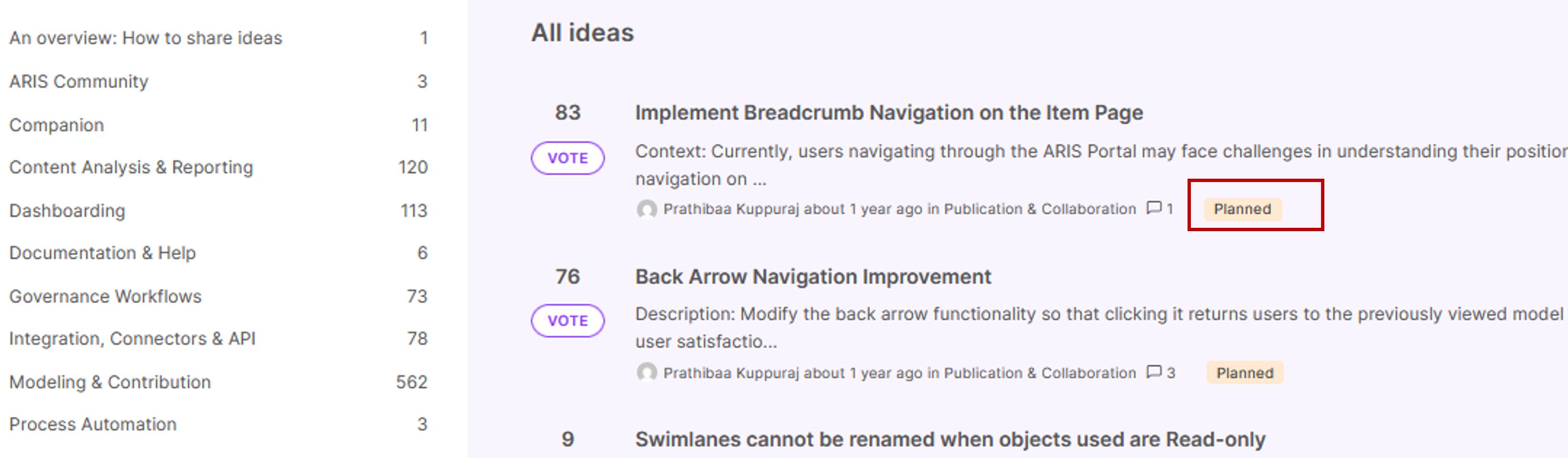
Figure 5. Tracking status of ideas in the ARIS Ideas Portal
Limitations and best practices
Keep in mind that submitting an idea doesn't automatically guarantee implementation. Each suggestion undergoes prioritization based on its impact, feasibility, and alignment with the overall ARIS product strategy.
To increase the chances of your idea being considered:
- Focus on universal, broadly applicable improvements rather than niche or industry-specific use cases.
- Clearly describe how your idea enhances usability, performance, or business value.
For specialized or custom requirements that fall outside standard functionality, Dainova RO can help you design tailored ARIS configurations and reports that meet your specific needs. If you have any questions, please, contact us by the contact form or at info@dainovaro.com and we provide you with more information.
